Blog · Updated October 6, 2026 · 12 min read
Apple Watch Readiness Score: Supported Models and Workarounds
Readiness runs only on Apple Watch Series 12 and Ultra 4. What the 0–10 score means, why it isn't showing, how to raise it, and options for a Series 9–11.
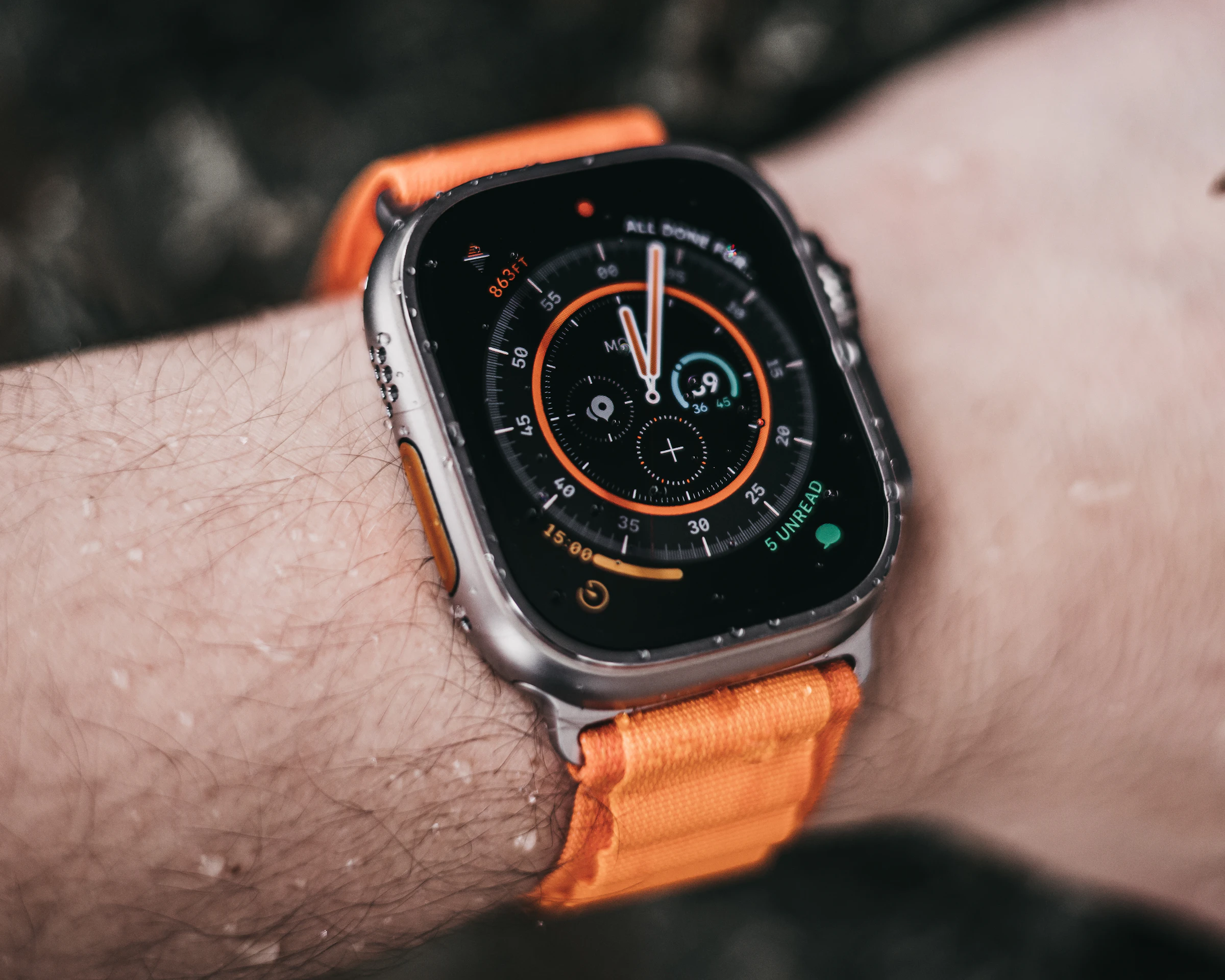
The Apple Watch readiness score is a number from 0 to 10 in the Readiness app, new in watchOS 27. It tells you whether your body is ready for a hard day or needs an easy one. It works on only two watches: the Apple Watch Series 12 and the Apple Watch Ultra 4. watchOS 27 runs on the Series 9 and newer, but no update adds Readiness to a Series 11 or anything older.
This guide covers how the score works, what each range means, why it may not be showing, and how to raise it. It also covers what you can do if your watch is not on the list.
The short answer
- Only two watches get it. Readiness runs on the Series 12 and Ultra 4, for people 13 and older. watchOS 27 also runs on the Series 9 to 11, SE 3, and Ultra 2 and 3, but those watches do not get the Readiness app.
- The score runs from 0 to 10. 8 to 10 is Go for it, 5 to 7 is Ready, 2 to 4 is Pace Yourself, and 0 to 1 is Recover.
- It blends three things. Your activity and training load, your daytime and overnight vitals, and your sleep score. It can drop during the day after a workout.
- A new watch needs about a week. The score shows up once you have worn the watch to bed for at least 7 nights, with Sleep and overnight vitals set up.
- Older watches can still get a readiness-style score. Your watch already records overnight heart rate variability (HRV), heart rate, and sleep. Apps like Ness turn that data into a daily score on your iPhone.
Which Apple Watch models get Readiness
| Feature | Series 9 to 11, SE 3, Ultra 2 and 3 | Series 12, Ultra 4 |
|---|---|---|
| watchOS 27 | Yes | Yes |
| Readiness app and score | No | Yes |
| New heart sensors (heart rate every 5 seconds, denser HRV) | No | Yes |
| Sleep Score, Vitals app, Training Load | Yes | Yes |
| Redesigned Health app on iPhone (later this year) | Yes, with an Apple Intelligence iPhone | Yes |
Apple's own comparison page lists the Readiness app and the new sensor system on the Series 12 and Ultra 4 rows, and nowhere else. Its catch-all line covers the rest: "not all features are available on all devices."
How the Apple Watch readiness score works
Readiness answers one question: how ready is your body to take on activity today? Apple's support page lists three groups of inputs.
- Activity. Active calories, workout effort ratings, and Training Load. More activity than usual tends to lower the score. Steady or reduced activity raises it.
- Vitals. Your daytime and overnight vitals, compared with your own normal. If a reading is Slightly or Notably off, the score drops. When everything is Typical or Favorable, it rises. Higher-than-usual HRV can make your vitals Favorable.
- Sleep. Your sleep score. Poor or inconsistent sleep lowers readiness. A high or improving sleep score raises it.
The score is not locked in when you wake up. Apple says it can go down during the day after a workout or other activity. Tap the Activity, Vitals, and Sleep buttons in the Readiness app to see which one moved it.
| Score | Apple's label | What it suggests |
|---|---|---|
| 8 to 10 | Go for it | A good day to push |
| 5 to 7 | Ready | A normal training day |
| 2 to 4 | Pace Yourself | Keep the effort moderate |
| 0 to 1 | Recover | Rest or very light movement |
Apple built Readiness using data from its own Heart and Movement Study. That is a clearer paper trail than most readiness scores have. But it is a wellness feature, not a medical test. Apple's support page says it does not account for existing conditions or medications, and it should not be the only thing you use to decide whether it is safe to exercise. One low morning is noise. The trend over weeks is what matters.
Where to see your readiness score
- On your watch. Open the Readiness app. Tap Activity, Vitals, or Sleep for the breakdown.
- On your iPhone. Open the Fitness app and tap Readiness. You may need to scroll to the bottom of the screen.
- In the new Health app, later this year. The redesigned Health app adds an Insights tab that pulls together heart, sleep, readiness, fitness, and vitals. It is in testing in the iOS 27.2 beta. Apple says it arrives later this year, starting in US English.
Why your readiness score is not showing
Work through this list in order. Most blank scores come from one of the first five.
- Check your model. Only the Series 12 and Ultra 4 show Readiness. A Series 11, Ultra 3, or SE 3 never will, no matter how long you wear it.
- Check your age. Readiness is for people 13 and older.
- Fill in your health details. Your height, weight, and age must be set. You can set them in the Fitness app on your iPhone.
- Set up Activity and Sleep. Then wear the watch to bed. Apple needs at least 7 nights of sleep with the watch on, and you need to have slept in it last night.
- Set up overnight vitals. Vitals need sleep data from at least 7 of the past 49 nights.
- Give it a few hours. Early owners reported scores that lagged by up to four hours, often after a workout or first thing in the morning. Apple has said a fix is coming.
If you just got your watch, a blank Readiness app for the first week is normal.
How to improve your readiness score
The score follows its three inputs, so those are your levers.
- Protect your sleep score. Apple's sleep score rewards enough hours, a steady bedtime, and few wake-ups. A consistent bedtime is the cheapest win. Our Apple Watch sleep score guide breaks down the points.
- Build training load slowly. Big jumps above your normal activity pull readiness down. Spread hard sessions out instead of stacking them. Most of your weekly time belongs in easy heart rate zones.
- Avoid the things that wreck overnight vitals. Alcohol, late heavy meals, illness, and a hot bedroom raise your sleeping heart rate and lower your HRV. Our guide to higher sleeping heart rate covers the common causes.
- Take the easy days. A Recover or Pace Yourself score is information, not failure. An easy day often brings the score back up by the next morning. If it stays low for days, read why your recovery score is low.
- Track what moves it. The score tells you what happened, not why. Logging alcohol, caffeine, late meals, and stress for a few weeks shows which habits actually move your numbers.
Why older watches are left out
The reason Apple gives is the new sensor package. The Series 12 and Ultra 4 have new heart sensors that check heart rate every 5 seconds and sample HRV up to 24 times more often than older watches. Readiness compares those signals against your own baseline.
One honest caveat. Apple ties Readiness to the new sensors in its marketing. It has never said older sensors physically cannot run it. Selling new watches may matter as much as the engineering. Either way, the result is the same. No update brings Readiness to a Series 11.
How to get a readiness score on a Series 9, 10, or 11
You have three options.
- Upgrade. The Series 12 starts at $399 and the Ultra 4 at $799. Trade-in lowers the price.
- Wait. Apple Watch features sometimes reach older models over time. Apple has not promised that here.
- Use the data you already have. Your watch already records overnight HRV, heart rate, breathing rate, and sleep. That is what a readiness-style score is built from.
Option three is what recovery apps do. They read your Apple Health data and turn it into a daily score. Here is how Apple's Readiness compares with the Recovery Score in Ness, our own app.
| Apple Readiness | Ness Recovery Score | |
|---|---|---|
| Works on | Series 12 and Ultra 4 only | The Apple Watch you already own |
| Scale | 0 to 10, four labels | 0 to 100 |
| Inputs | Activity and Training Load, daytime and overnight vitals, sleep score | Overnight HRV, sleeping heart rate, breathing rate, blood oxygen, wrist temperature, and your sleep score |
| Baseline | Your own normal | Your rolling 14-night baseline |
| Also tells you | Which factor moved the score | A Strain Target for how much training to do today |
| Price | Included with a $399 or $799 watch | $12.99 per month or $79.99 per year, with a free trial |
Ness computes its scores on your iPhone, not in the cloud. If your watch does not record a signal, such as wrist temperature on older models, the score adjusts to the data it has. It also shows Sleep, Strain, Stress, and Energy scores next to Recovery, puts Recovery, Sleep, Strain, and Stress on your watch face as complications, and has an AI coach you can ask why a score dropped.
It is not Apple's Readiness, and it does not sample as often as the new sensors. But it answers the same question: train hard today, or take it easy? Ness is not the only option. Athlytic and Bevel also build recovery scores from Apple Health data, and our Athlytic vs Bevel comparison covers both.
How Readiness fits the new Health app
The redesigned Health app is coming later this year, starting in US English. It is in testing in the iOS 27.2 beta, and Apple has not given a date. It adds an Insights tab that pulls together heart, sleep, readiness, fitness, vitals, and cycle tracking. With a Series 12 or Ultra 4, your readiness score shows up there and in the Fitness app.
Health Age is a different metric. It lives in the new Longevity tab and estimates how old your body seems from your resting heart rate, VO2 max, sleep, and HRV. Our Apple Health Age explainer covers how it works. To get an estimate from your Apple Watch data now, try the free biological age calculator.
FAQ
Will the Apple Watch Series 11 get Readiness in an update? Apple has not said so, and it ties the feature to the new heart sensors in the Series 12 and Ultra 4. Plan on it never coming to a Series 11. If you want a readiness-style score on a Series 11, use a recovery app that reads your Apple Health data.
Does the Apple Watch SE 3 get Readiness? No. Apple lists only the Series 12 and Ultra 4. The SE line usually misses the premium health features.
What is a good readiness score on Apple Watch? 5 or higher. Apple labels 5 to 7 as Ready and 8 to 10 as Go for it. 2 to 4 means Pace Yourself, and 0 to 1 means Recover. The trend matters more than one day. A score that sits below your usual range for several days says more than any single morning.
Why is my Apple Watch readiness score low? Usually one of three things: more activity than usual, vitals that are off your normal, or a poor sleep score. Tap Activity, Vitals, and Sleep in the Readiness app to see which one. Short sleep, alcohol, and getting sick are the most common causes.
How long does it take to get a readiness score on a new Apple Watch? About a week. Apple needs at least 7 nights of sleep with the watch on, plus Activity, Sleep, overnight vitals, and your height, weight, and age set up.
Does the readiness score change during the day? Yes. Apple says it can go down after a workout or other activity. Early owners also reported updates that lagged by a few hours, which Apple has said it is fixing.
Is Readiness the same as a recovery score? They answer the same question from similar inputs. Recovery scores from apps like Ness, Athlytic, and Whoop lean hardest on overnight HRV and resting heart rate. Apple's Readiness also adds your recent activity and Training Load.
Can I get a readiness score on an Apple Watch Series 9 or 10? Not Apple's. But both watches record overnight HRV, heart rate, and sleep, so recovery apps can build a readiness-style score from that data. Ness, Athlytic, and Bevel all do this.
Related reading
- How to Check Your Recovery Score on Apple Watch (2026 Guide)
- Why Is My Recovery Score Low? 6 Real Causes
- Athlytic vs Bevel: Best Apple Watch Readiness App
- Apple Watch Series 12 vs Series 11: Is the Upgrade Worth It for Health Tracking?
- watchOS 27 Health Features: What's Changing on Your Watch This Fall
- Apple Health Age: What It Is and How It Compares to Biological Age Apps
- Biological Age Calculator
- Apple Watch HRV: What It Means and How to Read It
Sources
- Apple Support. Understand your readiness score on Apple Watch. https://support.apple.com/en-us/128112. Score ranges and labels, inputs, setup requirements, and wellness limits.
- Apple Watch User Guide. Use the Readiness app on Apple Watch. https://support.apple.com/guide/watch/flx4gnzby346/watchos. Supported models, the 13-and-older limit, the Fitness app view, and the 7-of-49-nights vitals requirement.
- Apple Newsroom. Apple advances health and fitness capabilities using Apple Intelligence. September 9, 2026. https://www.apple.com/newsroom/2026/09/apple-advances-health-and-fitness-capabilities-using-apple-intelligence/. Readiness model availability and the redesigned Health app.
- Apple Newsroom. Introducing Apple Watch Series 12 with the all-new Health Sensing System. September 9, 2026. https://www.apple.com/newsroom/2026/09/introducing-apple-watch-series-12-with-the-all-new-health-sensing-system/. Sensor details and the $399 starting price.
- Apple Newsroom. Apple unveils Apple Watch Ultra 4. September 9, 2026. https://www.apple.com/newsroom/2026/09/apple-unveils-apple-watch-ultra-4/. Ultra 4 pricing and the watchOS 27 model list.
- MacRumors. iOS 27 Health app new features guide. September 10, 2026. https://www.macrumors.com/guide/ios-27-health-app-new-features/. Independent confirmation that readiness and high-frequency HRV require a Series 12 or Ultra 4.
- MacObserver. Apple is reportedly fixing Readiness delays on Apple Watch Ultra 4 and Series 12. https://www.macobserver.com/?p=485940. Reports of scores lagging by up to four hours.
This is not medical advice. Readiness and recovery scores are training tools, not medical tests. If you have symptoms or a health condition, see a doctor.